
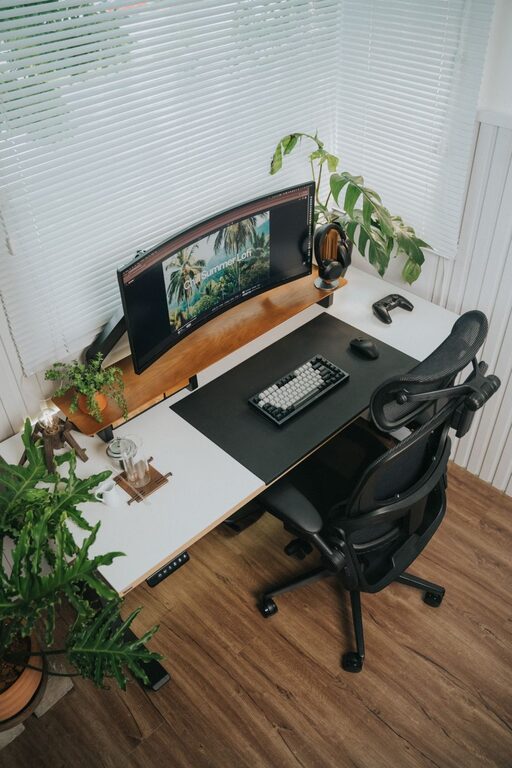
Creating a workspace that promotes both focus and comfort is essential for productivity and well-being, whether you work from home, in an office, or study. A well-organized desk setup can reduce distractions, improve posture, and make long hours at your desk more enjoyable. In this article, we’ll explore practical tips to design a desk setup that helps you stay comfortable and focused.
Why a Good Desk Setup Matters
Your desk is more than just a place to put your computer—it’s where ideas form, tasks get done, and your daily work routine unfolds. A cluttered or poorly arranged workspace can lead to discomfort, fatigue, and lost concentration. Conversely, a thoughtfully organized and ergonomic desk encourages better posture, reduces physical strain, and cultivates a productive mindset.
Choose the Right Desk and Chair
Desk Selection
– Size and Surface: Make sure your desk is large enough to accommodate your computer, accessories, and any documents or tools you use regularly. A spacious surface helps keep things organized and avoids clutter.
– Height: The desk height should allow your arms to rest comfortably at a 90-degree angle when typing. Adjustable desks or standing desks offer flexibility for different tasks.
Chair Matters
– Ergonomic Support: Invest in a chair with adjustable height, lumbar support, and comfortable cushioning. Good back support prevents strain and promotes a healthy posture.
– Adjustability: Look for chairs with adjustable armrests and seat depth. This customization helps fit your body and desk perfectly.
Optimize Monitor Placement
– Eye Level: Position your monitor so the top of the screen is at or slightly below eye level. This reduces neck strain.
– Distance: Keep the monitor about an arm’s length away to avoid eye fatigue.
– Dual Monitors: If you use two screens, align them side by side and at the same height to prevent awkward head turns.
Organize for Efficiency and Minimal Distractions
– Declutter Daily: Clear away unnecessary items at the end of each day. A tidy desk welcomes focus.
– Essential Items Only: Keep only frequently used tools and materials within reach.
– Use Organizers: Drawer dividers, desk trays, and cable management tools help keep everything in place.
– Digital Organization: Organize your desktop and files on your computer to match your physical setup.
Lighting: See Clearly, Work Comfortably
– Natural Light: Position your desk near a window to benefit from daylight, which boosts mood and focus.
– Task Lighting: Use adjustable desk lamps to illuminate your workspace without glare.
– Reduce Screen Glare: Position monitors perpendicular to windows or use blinds to minimize reflections.
Personalize Your Space Wisely
– Add Greenery: Small plants improve air quality and add a refreshing touch without cluttering your desk.
– Inspirational Items: A few personal touches like photos or motivational quotes can boost mood but avoid overcrowding.
– Color Choices: Opt for calm and neutral tones in your workspace to create a soothing environment.
Incorporate Comfort Essentials
– Wrist Support: Use a wrist rest or ergonomic keyboard to minimize strain during typing.
– Footrest: If your feet don’t rest flat on the floor, consider a footrest to improve circulation.
– Temperature Control: Have a fan or heater nearby if your workspace tends to get too hot or cold.
Take Breaks and Move
Even the best desk setup can’t replace the benefits of regular breaks. Stand, stretch, or walk around every hour to refresh your body and mind. Consider using a sit-stand desk to alternate positions throughout the day.
Final Thoughts
A desk setup that balances comfort and focus can transform your work experience. By selecting ergonomic furniture, organizing your space, optimizing lighting, and personalizing thoughtfully, you create an environment conducive to productivity. Take time to adjust your setup as needed and listen to your body’s signals.
With these tips, your workspace will not only look inviting but also support you in staying sharp and comfortable all day long.